Why Hothen is the Missing Piece in Your Modern Design Toolkit
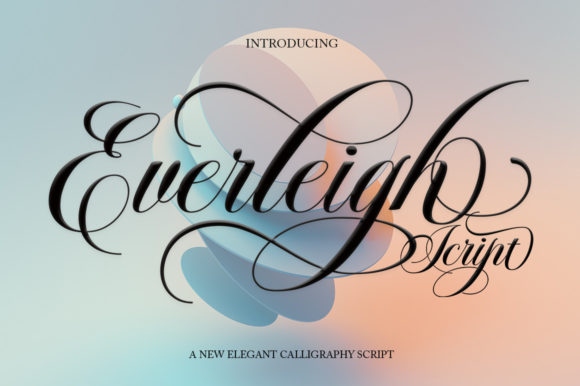
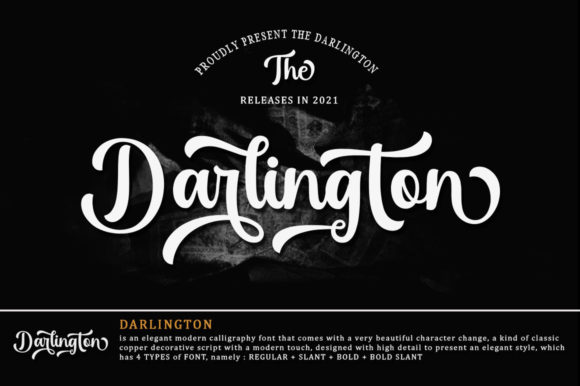
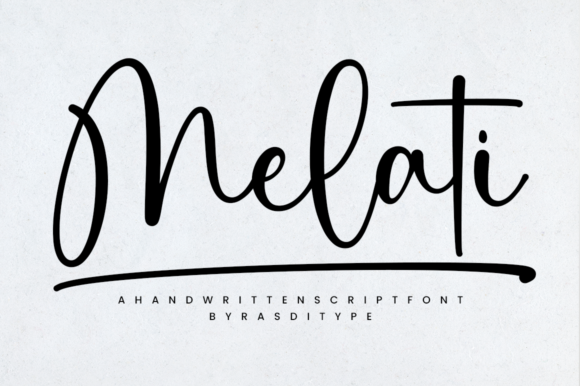
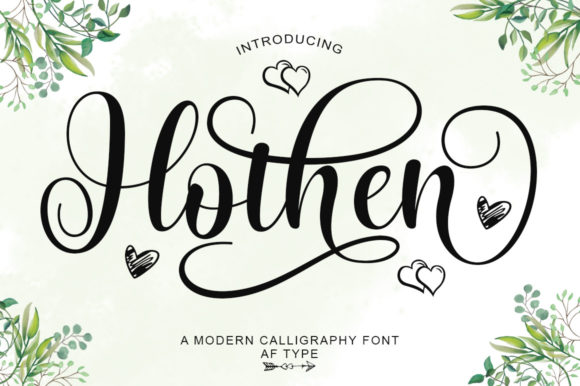
You have likely scrolled past dozens of script fonts this week. Some are too messy to read, others look like they were drawn by a child, and many fail to convey the professional polish your brand needs. When you are looking for a typeface that bridges the gap between traditional elegance and contemporary usability, Hohen stands out as a rare find. It is not just another decorative font; it is an elegant script with a contemporary atmosphere and impeccable form, inspired by timeless classic calligraphy.
However, simply downloading a font file does not guarantee success. Many designers and business owners make the mistake of assuming all script fonts work the same way. They often overlook technical details like encoding or miss the subtle nuances that separate a premium typeface from a generic one. Understanding these differences is crucial if you want your projects to look polished rather than amateurish.
The Hidden Power of PUA Encoding
One of the most significant advantages of Hohen lies beneath its visual surface: it is PUA encoded. If you are new to typography, you might wonder why this matters. The Private Use Area (PUA) allows the font to access a vast library of glyphs, swashes, and alternate characters without conflicting with standard keyboard inputs. This means you can access all glyphs and swashes with ease, giving you complete creative control.
A common mistake beginners make is using basic substitution methods to add variety to their text. They manually swap letters or use clumsy workarounds that break the flow of the design. With Hohen, you avoid this frustration entirely. You can apply complex ligatures and flourishes instantly, ensuring that every word looks hand-crafted and intentional. Without this feature, you might end up with a design that feels rigid and repetitive, lacking the organic movement that makes script fonts so appealing.
- Standard Fonts: Often limited to a single character set, requiring manual intervention for variety.
- PUA Encoded Fonts like Hohen: Offer extensive alternates accessible through simple software features.
- The Result: A seamless, professional appearance that saves hours of editing time.
Common Pitfalls in Script Selection
Even with a superior tool like Hohen, poor execution can ruin a project. One frequent error is overusing script fonts. Because Hohen is so visually striking, there is a temptation to use it for entire paragraphs or large blocks of body text. While it has impeccable form, scripts are generally best used for headlines, logos, or short accent phrases. Using them for long-form content reduces readability and forces your audience to work harder to consume your message.
Another overlooked detail is the pairing of fonts. A beautiful script needs a sturdy companion. Many creators pair Hohen with other ornate typefaces, creating a chaotic visual hierarchy. To maintain clarity, pair the fluidity of Hohen with clean, sans-serif or structured serif fonts. This contrast highlights the elegance of the script while keeping the supporting information legible. Ignoring this balance can make your presentation look cluttered and unprofessional, undermining the credibility of your brand.
Evaluating Usability Before You Buy
Before you commit to purchasing or installing any typeface, you must check how it performs in your specific workflow. Not all fonts are created equal when it comes to file size, compatibility, and rendering speed. Hohen is designed to be efficient, but users should still verify that their design software supports the full range of OpenType features. Failing to do so might result in missing characters or broken layouts, which can delay your project timeline and increase costs due to wasted labor.
Consider the context of your application. Are you designing a wedding invitation, a luxury product label, or a social media graphic? Hohen excels in contexts where a touch of sophistication is required. However, if your goal is to create a rugged, industrial, or highly utilitarian look, a script font—even a high-quality one—might send the wrong message. Always evaluate whether the "contemporary atmosphere" of the font aligns with the core identity of your project. Misalignment here can confuse your audience and dilute your marketing impact.
- Check Compatibility: Ensure your software supports PUA encoding and OpenType features.
- Test at Scale: View the font at various sizes to ensure legibility on mobile devices and print materials.
- Review Licensing: Verify that your license covers your intended use case, such as commercial web use or client work.
Maximizing Efficiency with Proper Workflow
Efficiency is key for freelancers, small business owners, and agencies working under tight deadlines. The beauty of Hohen is that it streamlines the design process. Instead of spending hours drawing custom lettering or searching for individual elements, you can rely on the built-in swashes and alternates. This allows you to focus on strategy and layout rather than getting bogged down in tedious typography tasks.
To get the most out of the font, take the time to learn its specific character set. Explore the different styles available in your font panel. Do not settle for the default setting. By experimenting with different combinations of swashes and ligatures, you can create unique variations that stand out in a crowded market. This level of customization ensures that your final output is distinct and memorable, providing a competitive edge in your niche.
Practical Advice for Better Results
If you want to avoid the pitfalls that plague many designs, start by defining your communication goals. What emotion do you want Hohen to evoke? Is it trust, creativity, or luxury? Once you know the answer, let that guide your usage. Use the font sparingly but effectively. A single line of Hohen can anchor a page and draw the eye exactly where you want it to go.
Also, pay attention to spacing. Scripts often require slightly more tracking (letter-spacing) than blocky sans-serifs to prevent the flourishes from colliding. Tight spacing can make the text look cramped and difficult to read, especially at smaller sizes. Conversely, overly loose spacing can disconnect the words, making them feel disjointed. Finding the right balance is an art, but with Hohen's well-designed forms, the margin for error is forgiving compared to less refined scripts.
Finally, remember that technology evolves. As you move forward, keep your font files updated and ensure they are properly installed on all devices used for your projects. This prevents last-minute surprises where a font fails to render correctly on a client's screen or a printer's machine. By staying organized and proactive, you protect the quality of your work and maintain the satisfaction of your clients.
In summary, Hohen offers a sophisticated solution for those who value both aesthetics and functionality. Its PUA encoding and timeless inspiration make it a versatile asset for any designer. By avoiding common mistakes like overuse, poor pairing, and neglecting technical checks, you can leverage the full potential of this elegant script. Whether you are a seasoned professional or a beginner taking your first steps, choosing the right tool is the first step toward excellence. Make the smart choice, and let your designs speak with clarity and grace.